Features
Everything TRACE shows and works out for you
Eight sections that build themselves from your POS data. Below, each one with a real screen and a list of what’s in it. A Pro tag means the feature is part of the Pro plan.
Home. How the day is going, from morning to close
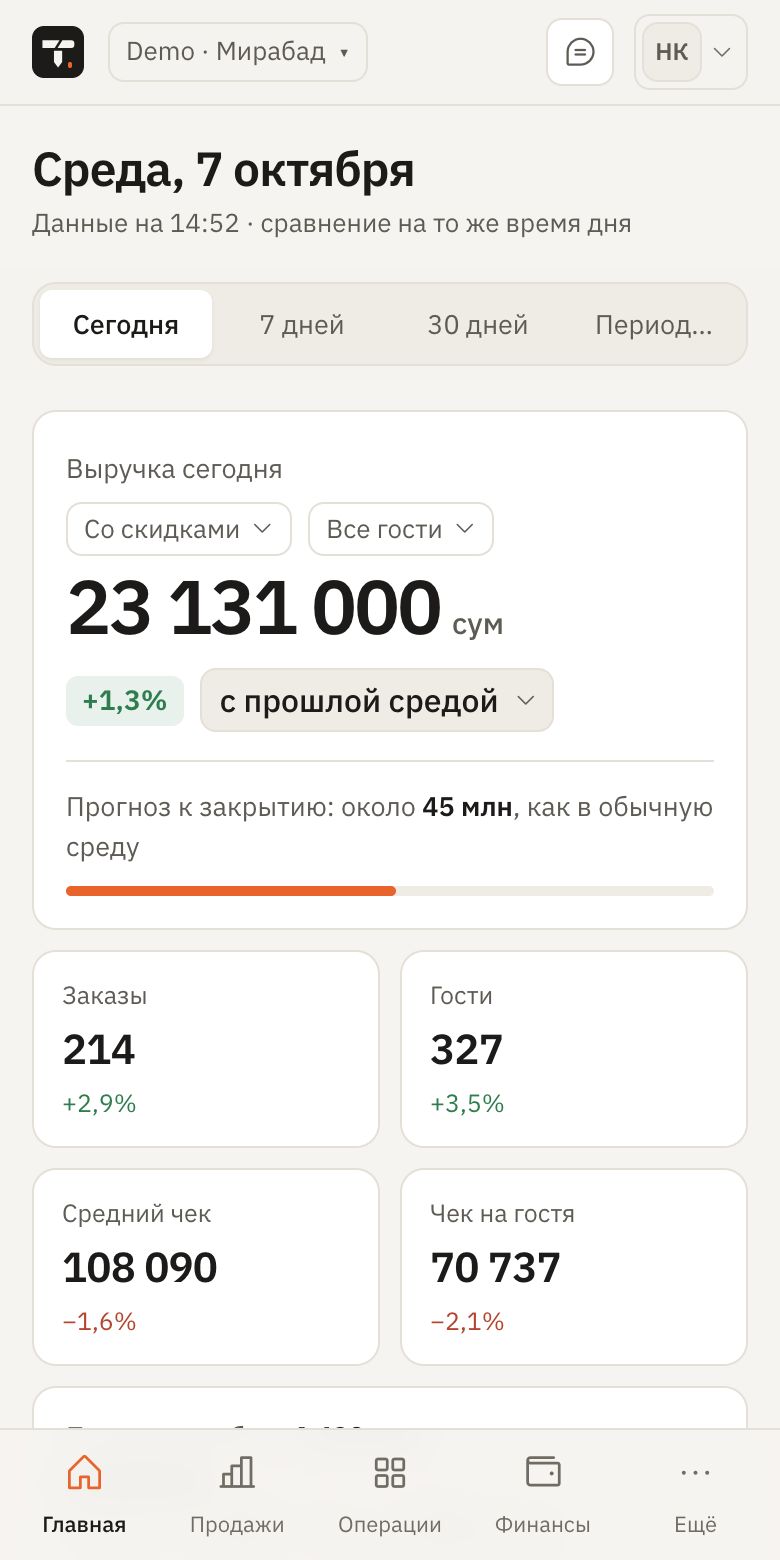
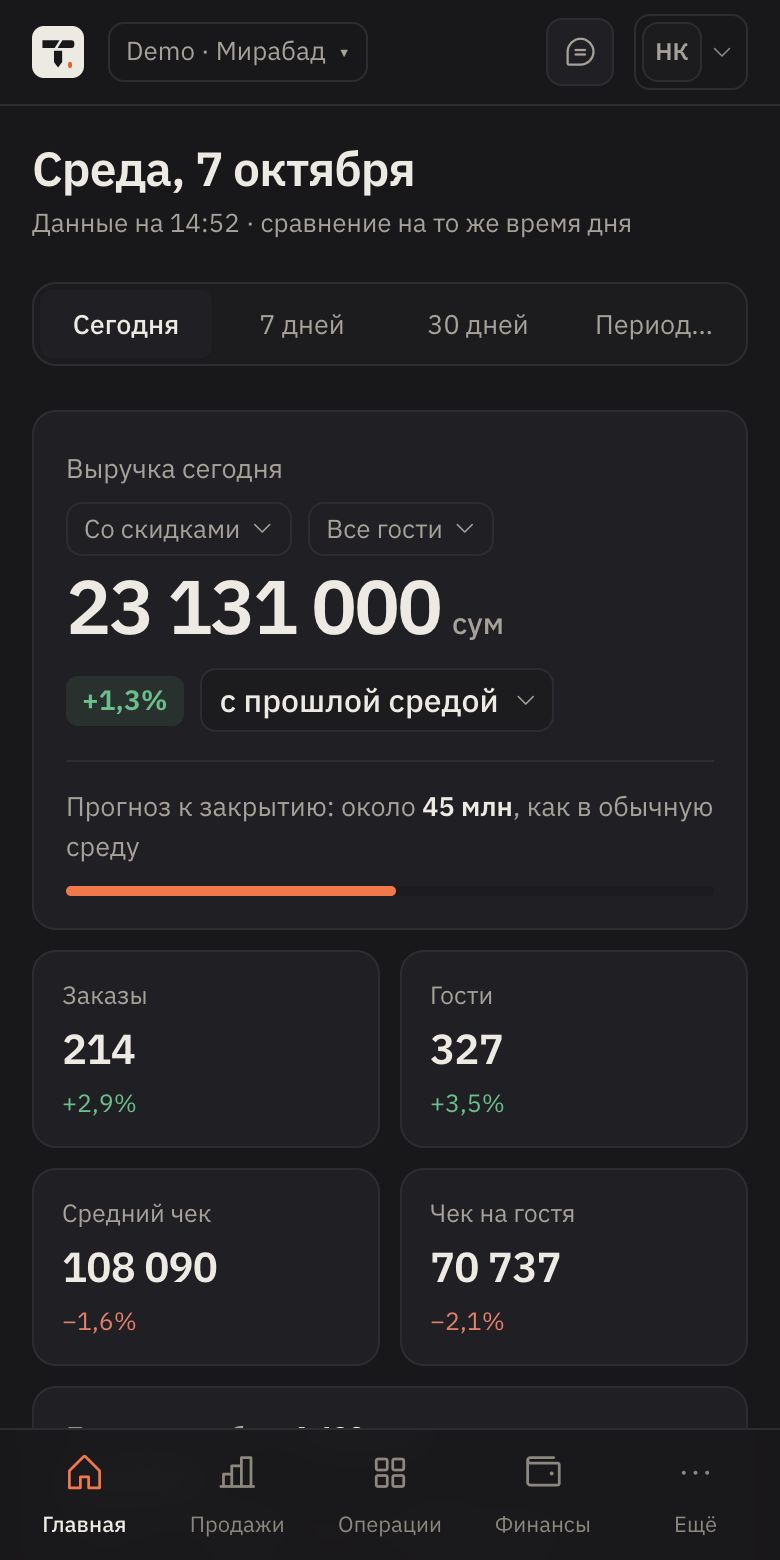
Revenue right now, compared with a typical day at the same time. You can tell at a glance whether today is a good day.
Real-time revenue
A check closes at the POS and seconds later it’s in TRACE. For iiko this works through a plugin on the POS.
Comparison with a typical day
This Wednesday against last Wednesday or the average Wednesday over 8 weeks, at the same time of day.
Forecast to close
How much the restaurant will make by the end of the day if things go as usual.
The month’s plan on the home screen
Done, forecast and how much is needed per day, in one line.
The floor now
Occupied tables, guests and the average time at a table.
Daily briefing
AI breaks the day down: what’s going wrong, what to do before evening and which staff to check on. It doesn’t mix up banquets with ordinary days.
Sales and menu. What makes money and what only takes up space on the menu
Sales by dish, category, hour and waiter. AI suggests what to raise in price, what to drop and what to sell together.


Menu ABC analysis
Every dish in group A, B or C. You can see what to promote, what to drop and what to watch.
When you sell
A heat map by day and hour, sales by category and a comparison with the previous period.
Waiters
Revenue, average check, guests and time at the table for every waiter.
Slow hours
AI finds low-traffic hours and suggests how to fill them.
Dish prices Pro
Price advice based on how sales reacted to past changes.
Combo offers Pro
Dishes that are often ordered together, and ready-made combos to grow the average check.
A breakdown of every dish Pro
Why a dish is in its ABC group and what to do with it.
Guest return Pro
The chance a guest comes back within the next 7, 14 and 30 days.
Export
Any report to Excel, a daily summary by email.
Operations. What’s happening on the floor and in the kitchen right now
Open orders, stop list, voids and ticket times. You can see where the shift is stalling while it can still be fixed.


Open orders
Every table and order in progress right now, with amount and time.
Stop list and lost revenue
What ran out and how much money the restaurant missed because of it.
Voids and refunds
Every void with its reason and the employee who made it.
Ticket times
How fast dishes go out, by category and by hour.
Table turnover
How long guests sit at each table and in each room.
Peak kitchen load
AI shows in advance the hours when the kitchen needs extra hands.
Finance. A monthly P&L without an accountant or manual spreadsheets
Revenue, cost of goods, payroll, rent and net profit are calculated every day from POS and iiko data.


P&L every day
Where revenue goes and how much is left, without waiting for the month to close.
Cost of goods
Planned and actual cost for every item and category.
What payroll is made of
Salaries, hourly pay, sales percentages, bonuses and fines.
Profit forecast
How much the restaurant will earn by the end of the month at the current pace.
Invoices, write-offs, stock counts Pro
Every iiko document in one place. AI finds the reasons for write-offs and suggests purchasing norms.
Cash shifts
Gaps between the expected and actual amount show up as soon as a shift closes.
Branch comparison
P&L, revenue and cost of goods for every location in the chain in one report.
Plan vs actual. The month’s plan and how much you need each day
You set the plan once, and every day TRACE shows whether you’re on track and what it takes to catch up.


A plan for the key numbers
Revenue, checks, average check, food cost, profit and break-even point.
Completion forecast
What percentage of the plan the restaurant will hit by the end of the month.
Needed per day
How much you need each remaining day to reach the plan.
Where the gap comes from
The difference is broken down into causes: fewer guests, a lower check or a higher cost of goods.
An easy editor
A plan based on last month with growth, plus holidays and special days on the calendar.
Results in Telegram
Every evening: completion for the day and the month.
Staff. Shifts, clock-ins and payroll in one place
Schedules, face clock-in and automatic payroll based on your restaurant’s rules.


Shift schedule
The week on one screen, conflicts and swaps between staff.
Face clock-in
Staff clock in from their phone at work, by face and location.
Late arrivals
You set the rules for lateness and fines; TRACE does the maths.
Payroll
Salary, hours, sales percentage, bonuses and advances for the period.
Invites from iiko
Staff are pulled in from iiko, so you don’t have to add them again.
Shift recommendations Pro
How many waiters to schedule for each day and hour, based on forecast demand.
Shift checklists
Opening and closing checklists for managers, so nothing gets forgotten.
Reviews. Every guest review in one list
Reviews are collected from the platforms automatically. You see what guests praise and complain about, and a reply is ready in seconds.


Every platform
Google, Yandex Maps, 2GIS and TripAdvisor in one feed.
Sentiment
Every review is marked as positive, neutral or negative.
Replies to guests
AI writes a reply in your venue’s tone; you copy it and send.
Review trends Pro
What guests have started writing about more often in recent weeks.
Loyalty. Who your guests are and who stopped coming
Guests are grouped by how often and how much they order. TRACE notices who is starting to drift away.
Guest segments
Regulars, new, drifting and lost, automatically across the whole database.
Churn forecast
Guests who will soon stop coming, while they can still be won back.
Guest value
How much a guest brings in over time and how that changes.
Campaigns
Push notifications by segment to win back lapsed guests and activate new ones.
Delivery
Orders by district and how much each app user brings in.
Branch comparison
How the loyalty programme performs at each location in the chain.
AI in every section
AI in TRACE isn’t a separate toy. It’s built into every section and runs when you press a button, not on its own.
Questions about your data
Ask in plain Russian or Uzbek: “why did the average check drop on Tuesday?”. Base gives you 5 questions per 2 hours; Pro has no limit.
Daily briefing
A short breakdown of the day on the home screen: what’s wrong and what to do before evening.
Forecasts
Revenue to the end of the day and month, load by hour, profit at month end.
A Telegram report
Every evening the day’s and the plan’s results go to the owner and managers.
Multiple branches
Each branch separately or all together, and how they compare.
Russian, Uzbek, English
Every employee picks their own language.
See it all for yourself in the demo
A test restaurant with every section. No sign-up needed.